How OmniSitesAI Works
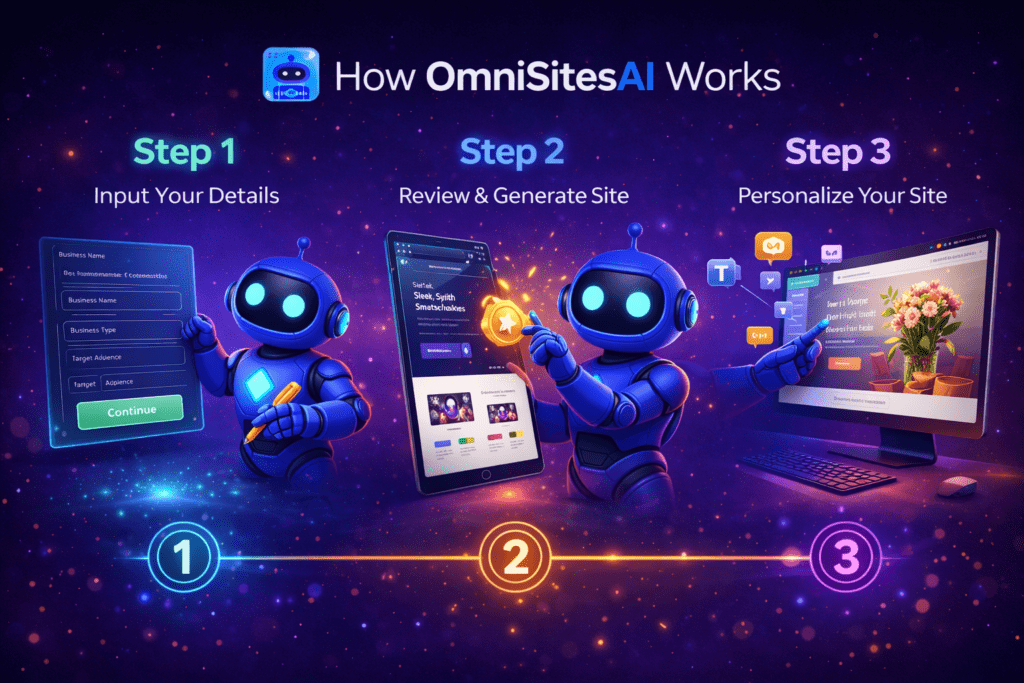
OmniSitesAI is designed around a simple but powerful idea:
a website should be trained before it’s built, and supported after it goes live.
This page walks through how OmniSitesAI works step by step — not in marketing terms, but in practical, real-world language. If you’re trying to understand what actually happens from signup to a working site, this is the right place to start.
Step 1: Train the AI on Your Business or Offer
Everything in OmniSitesAI begins with training.
Instead of jumping straight into templates or layouts, OmniSitesAI asks you to define:
- Your business type or niche
- A core keyword, offer, or service
- Your intended use case (affiliate site, local business, agency project, etc.)
This information is processed by the Custom Knowledge AI Engine, which builds a contextual understanding of what your website is meant to do.
Here’s what most people don’t realize:
AI output quality depends heavily on context. By training the system first, OmniSitesAI avoids the generic, one-size-fits-all content common in many AI builders.
Step 2: Generate a Site Based on That Knowledge
Once the AI is trained, OmniSitesAI generates a complete WordPress website around that context.
This includes:
- Site structure and page layout
- Core content aligned with your niche
- Essential plugins for SEO, security, and performance
- A design framework selected from premium templates
The goal at this stage isn’t perfection — it’s a strong, relevant foundation. You’re starting with a site that already understands its purpose instead of a blank canvas.
Step 3: Customize Visually Without Code
After the initial build, you can customize the site using a drag-and-drop editor.
This allows you to:
- Adjust layouts and sections
- Edit or refine AI-generated content
- Add new pages, funnels, or elements
- Control branding, colors, and structure
No coding is required, but nothing is locked. Advanced users can still work directly within WordPress if they choose.
This balance makes OmniSitesAI accessible to beginners while remaining flexible for experienced users.
Step 4: Choose Your Hosting Setup
OmniSitesAI gives you full control over hosting.
You can:
- Host the site inside the OmniSitesAI cloud with a custom domain
- Export the site and host it on your own server
Because the sites are standard WordPress installations, you maintain ownership and long-term flexibility. There’s no proprietary lock-in or closed system dependency.
Step 5: Activate Self-Marketing Agent Mode (Optional)
This is where OmniSitesAI moves beyond traditional website builders.
When you enable Self-Marketing Agent Mode, the AI agent begins supporting the site after launch by:
- Creating niche-relevant content
- Assisting with marketing campaigns
- Supporting lead-focused assets
The agent works within the boundaries of the knowledge it was trained on, which helps keep output aligned and relevant. Automation is guided — not uncontrolled.
You decide how much automation to use and when to use it.
Step 6: Create Funnels and Conversion Pages
OmniSitesAI isn’t limited to informational websites.
The platform includes tools to build:
- Opt-in pages
- Sales pages
- OTO and upsell pages
These are especially useful for affiliates, agencies, and service providers who want conversion-focused layouts without relying on multiple external tools.
Because funnels are built inside the same ecosystem, everything stays consistent — design, content, and messaging.
Step 7: Use AI Lead Finder for Outreach (Agencies & Freelancers)
For users offering services, OmniSitesAI includes an AI Lead Finder.
This tool helps:
- Identify businesses that may need better websites
- Analyze their existing online presence
- Generate audit-style reports for outreach
Instead of cold outreach with generic messages, users can start conversations with data-backed insights. This is particularly helpful for agencies looking to scale client acquisition.
Step 8: Apply Built-In Training for Monetization
OmniSitesAI also includes structured training focused on real use cases.
These resources cover:
- Building niche and affiliate websites
- Packaging and selling AI-powered sites to clients
- Avoiding common mistakes with automation
The training is designed to help users connect the platform’s features to actual outcomes, rather than leaving them to figure everything out alone.
Step 9: Iterate, Improve, and Scale
Websites aren’t static — and OmniSitesAI is built with that in mind.
Over time, users can:
- Update training inputs as goals evolve
- Expand content and site structure
- Launch additional sites or client projects
- Scale workflows without rebuilding from scratch
Because the platform supports multiple projects, it’s suitable for users managing more than one site or business.
What Makes This Process Different
Most website builders focus on speed.
OmniSitesAI focuses on relevance, adaptability, and long-term use.
Instead of:
- Build → publish → stop
The OmniSitesAI process looks like:
- Train → build → customize → market → improve
That difference matters for users who see websites as assets, not just online placeholders.
Who This Process Works Best For
This workflow is especially effective for:
- Affiliates building niche portfolios
- Agencies managing multiple clients
- Freelancers offering AI-powered services
- Entrepreneurs testing and scaling ideas
It may be less suitable for users who only want a one-page static site with no intention of growth or automation.
See the OmniSitesAI Platform in Action
Understanding the process is helpful, but seeing how it all comes together provides the clearest picture.
👉 Learn more about OmniSitesAI
Final Thoughts
OmniSitesAI doesn’t try to replace strategy or decision-making.
Instead, it reduces the technical and operational friction that slows most websites down.
By combining training-first AI, flexible WordPress ownership, and guided automation, it offers a practical way to build websites that can grow alongside your goals.